Installing the SpineWise Pro Kit Desktop App
Windows
👉 Download the app here.
Open the downloaded file SpineWise Pro Kit Setup.exe.
After installation, the app opens automatically. If it does not, you can find the app among the installed apps on your computer.
Mac
Mac version discontinued
We have discontinued development of the Mac version of the SpineWise Pro Kit Desktop App. Please contact info@spinewise.be for more info or special requests.
Next step: Register your account
Already have an account? Log in
The wearables are not shown in the Pro Kit application when they are connected to the computer.
For the wearables to work properly, a driver must be installed. This is normally installed automatically, but in some cases it can fail.
If this happens, you can install the driver manually:
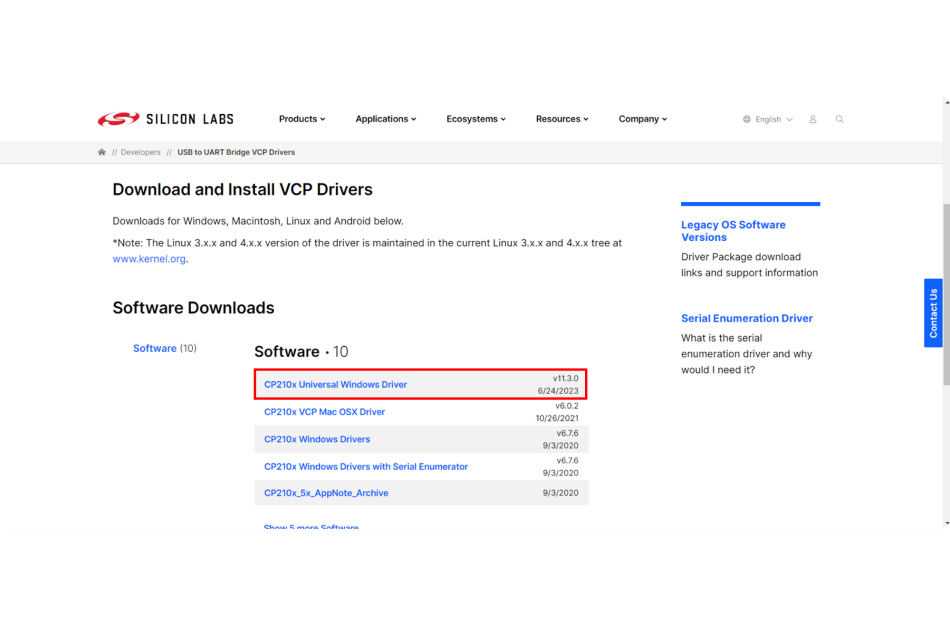
- Download the driver
- Download the 'Universal Windows Driver'.
- Save the file to your computer.
-
Extract the file
- Right-click the downloaded zip file.
- Choose Extract All and select a folder.
-
Install the driver
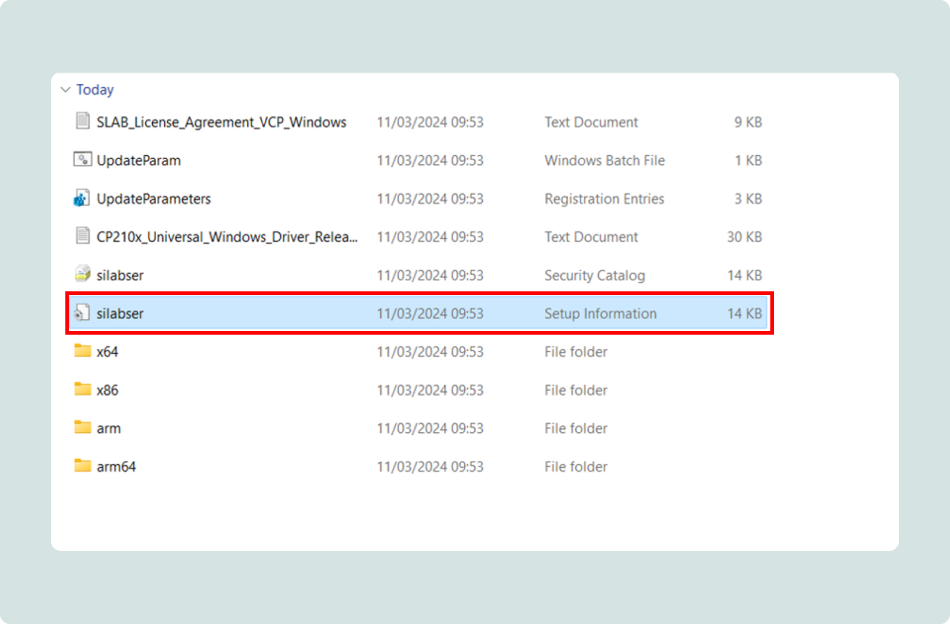
- Open the extracted folder.
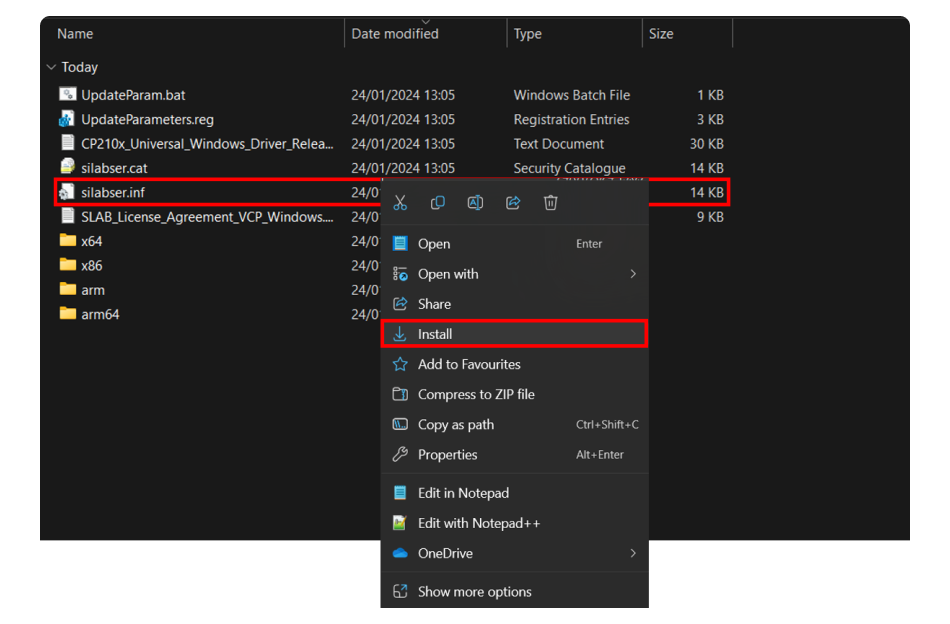
- Find the file silabser.inf.
- Note: sometimes the file extensions (such as .inf) are not shown. You can recognize the correct file by the gear icon.
- Right-click silabser.inf and choose Install.
- Follow the steps in the installer.
-
Verify the installation
- If the installation is successful, a confirmation screen appears.
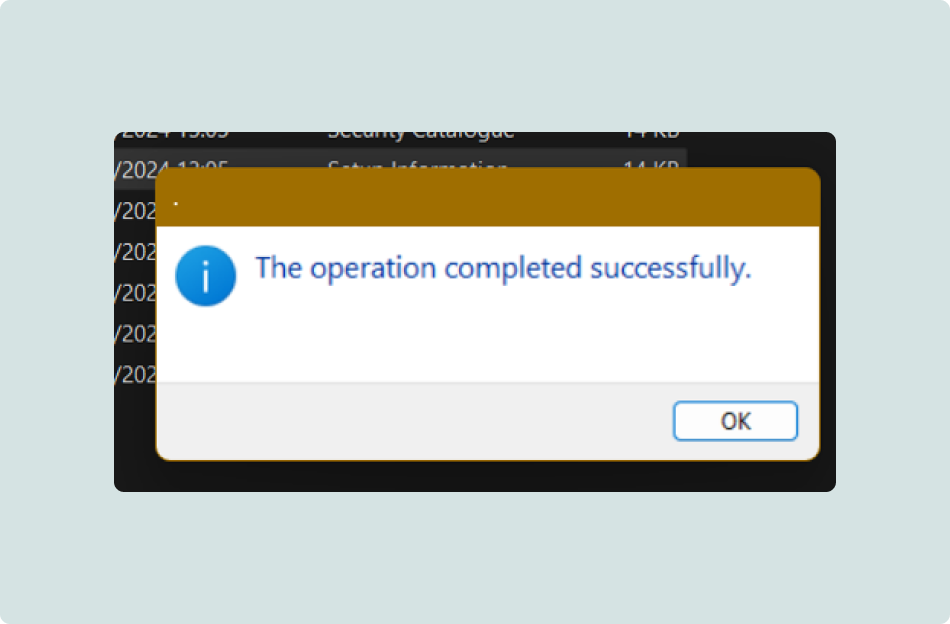
- If the installation is successful, a confirmation screen appears.